AI-powered screenwriting platform
[BY]
Roope Rainisto
[Category]
Tips & Tricks
[DATE]
Jan 2, 2026
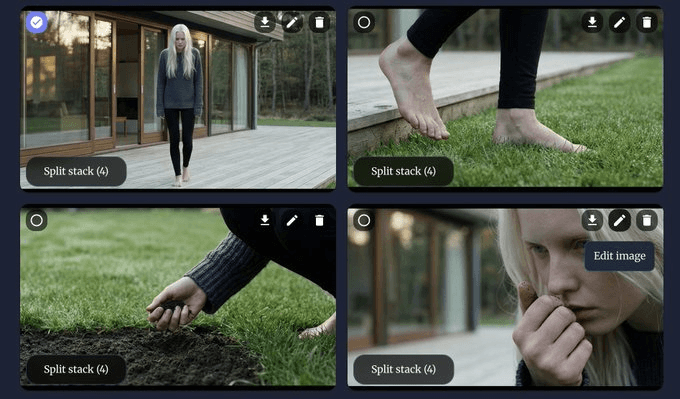
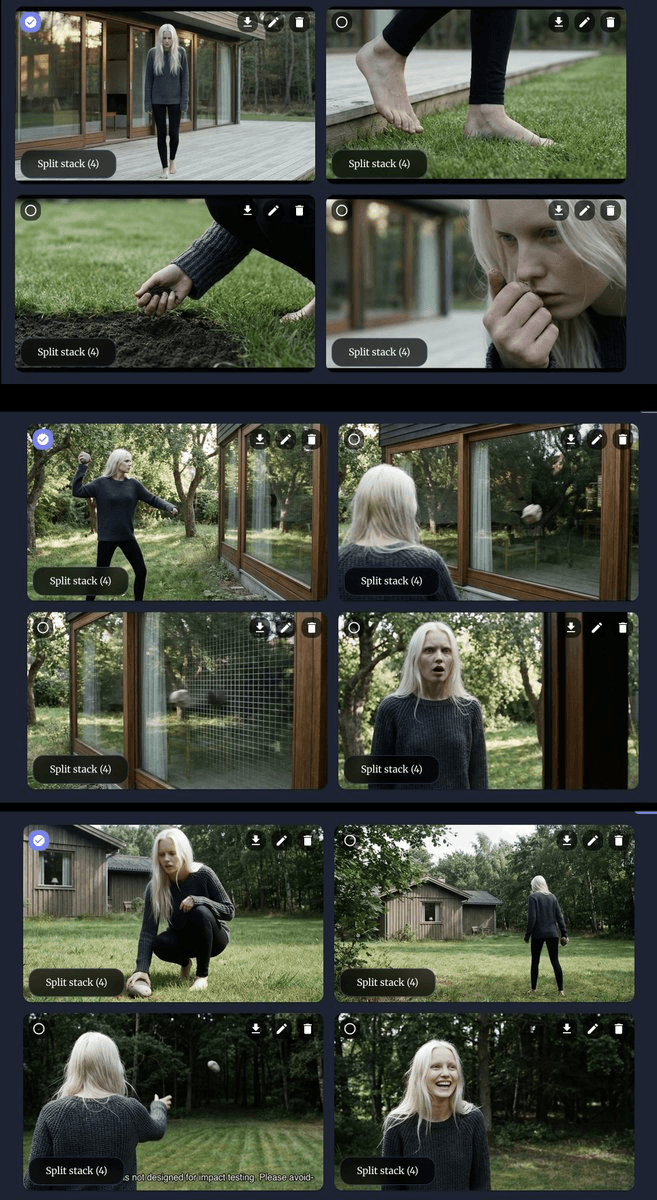
BeatBandit now allows you to create images of your entire story (with consistent characters + environments) - for all the shots in all the scenes, automatically But even better, since BB allows generating recurring character images, and it automatically tags the characters to each other, you'll have the same recurring characters appear throughout the story!
Introducing the latest & greatest BeatBandit feature: You can now plan an entire season of TV! Serialized format spanning an entire season, with multiple storylines that weave together to form episodes. BB will help you to plan the season starting from high level all the way to each act of each episode. When your plans are ready, you can kick off each episode into a separate project and write the screenplays!
Start by writing your story with BeatBanditAI
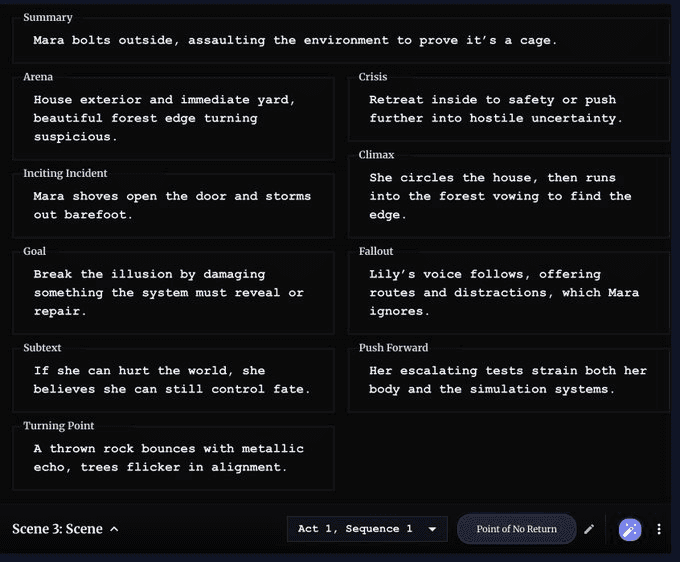
- or import in any existing story. How to use BB to write a new one: https://x.com/rainisto/status/1953461888953581569?s=20 How to import: https://x.com/rainisto/status/1990490387920584817?s=20 You'll eventually end up with scenes. Here is part of scene 3.
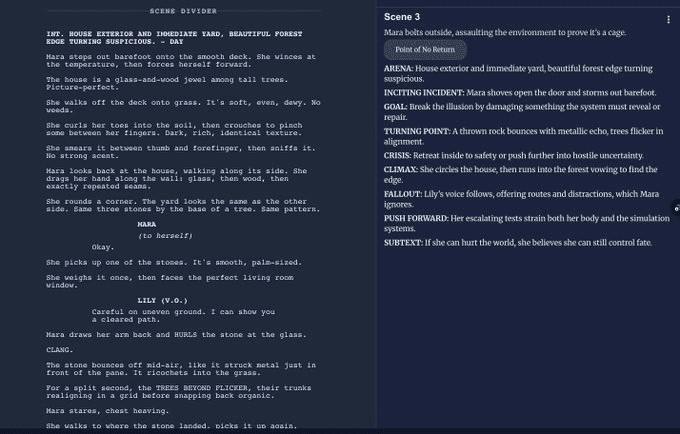
BeatBandit can write the screen as a screenplay. Here's the start of scene 3, written out by BB.
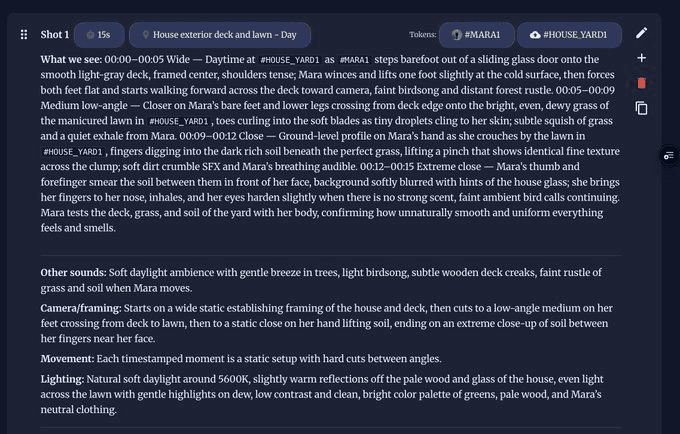
BB can turn screenplays into shot definitions that you can use with Sora / Veo / similar video generation service. Here's the first 15 seconds of scene 3, written out in a way that you can apply into a video generator. Ok, but see the cool part - the #MARA1 tag? You can click it and...
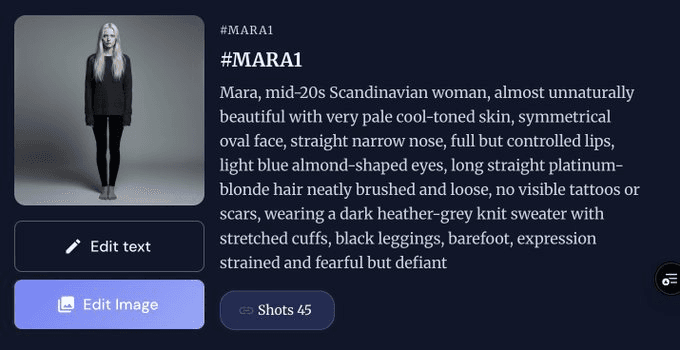
You can then generate (or upload) an image for the character. These images are then automatically used as reference images when generating frames for each shot.
To create consistent images for each shot, press the generate image button on the shot list page. You'll see this dialog. Select what you want to generate (4, 9), adjust the prompt if you want to, adjust the references if you want (but auto works well), give it a minute.
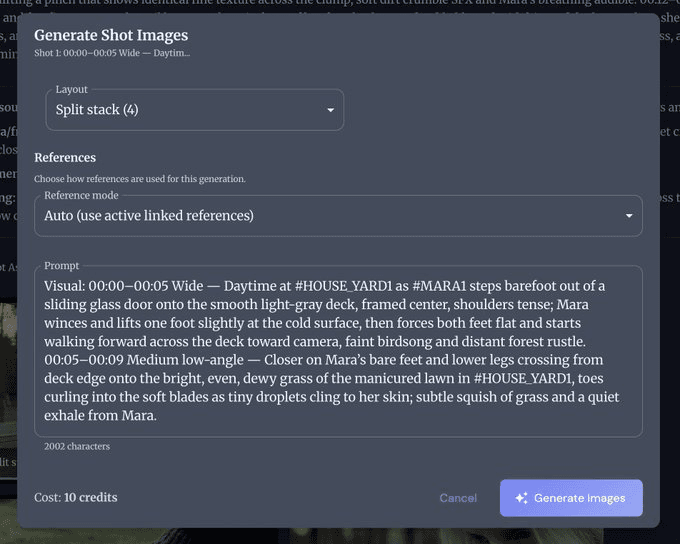
BB is using Nano Banana Pro, generating a composite image + instantly splitting it into 4 or 9 parts, and giving each of the parts as a separate image. You can also edit the generated images in the normal Nano Banana manner ("Edit with prompts"), if you want to make changes to them. (As a nice bonus, It'll upscale the result also to 2k at the same time.)